


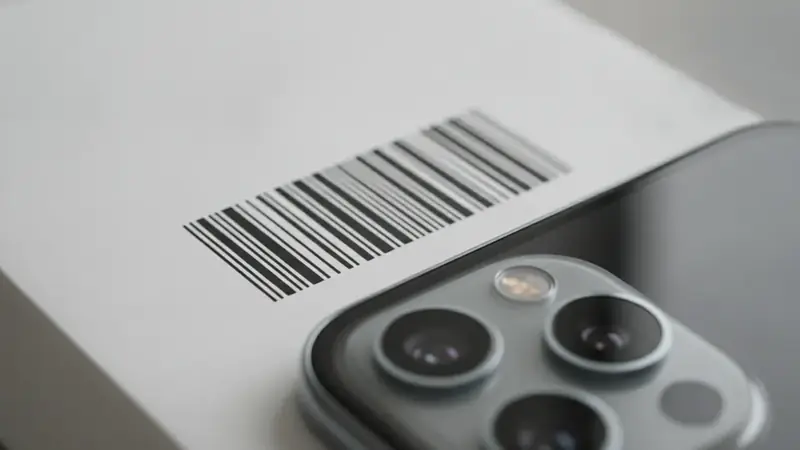
What you get when a barcode lookup works
You end up with a name, a brand, and ideally a price you can act on. A basic lookup site stops at the first two. Price ID goes further: it identifies the product, then lists matching listings with direct store links, the lowest price found for your shopping region, and the price range, so you can see potential savings.
Rental, monthly-plan and junk listings are filtered out, which keeps the list from filling up with things you can't actually buy.
How to look up a barcode, step by step
- Find the barcode on the package, usually on the back or bottom. The digits printed under the stripes are the same code the camera reads.
- Open Price ID and choose the barcode scan option. Scanning beats typing because a single wrong digit points to a different product or to nothing.
- Hold the phone steady about a hand's width from the code, with the stripes flat and fully in the frame. Curved bottles and shiny wrap blur the lines, so tilt the item until the glare moves off.
- If the camera won't read it, type the digits instead. Enter every digit, including the leading zero some codes start with.
- Read the match first. Check that the product name and brand fit what is in your hand before you trust any price.
- Look at the prices. Buying prices for new items and resale estimates for used ones are shown separately, so you are not comparing two different things.
- Add a text hint if the result is vague. A few words such as size or color can focus the search.
Prices, availability and matches vary, so confirm details and the final cost with the retailer before you buy.
What the digits mean
Most US products carry a UPC-A code with 12 digits. Many products sold elsewhere use EAN-13, which has 13. The last digit in either one is a check digit, a number calculated from the others so a scanner can tell whether it read the code correctly. That is why a single mistyped digit usually fails instead of returning a random item.
A upc code lookup and a barcode number lookup are the same job under two names: match the digits to a product record.
Scan on your phone or use an online lookup site?
Websites that let you scan barcode online or type a number are fine for a quick name check, and many are free. The limit is what they return. You often get a product title and little else, and some pages push you to a different site for prices.
A phone scan works where the barcode is: in the aisle, at a garage sale, at the back of a closet. You scan, and the barcode price check happens on the spot against online stores. On iPhone, a barcode lookup app is the simplest way to do that; Price ID is listed on the App Store as "What's It Worth: Price Scanner". On Android, a barcode scanner app does the same job, and Price ID is on Google Play as "Price ID: What is This Worth?".
Price ID is free to try, with a limited number of free scans each day, so you can test a few barcodes before deciding whether you need more.
Barcode lookup troubleshooting
The camera won't read the code
You see the frame hunting and nothing happens. Reduce glare, move closer or farther until the stripes are sharp, and make sure the whole code is inside the frame. If the label is torn or smudged, type the digits.
The scan finds nothing
The code was read but no product came back. Retype the digits slowly and compare them with the label. If they match, take a photo of the item itself, or add a text hint, and let the visual match take over.
The code is a store-only label
Grocers, department stores and warehouse clubs print their own barcodes for house brands and repackaged goods. These are not general product codes, so a public lookup has nothing to match. A photo of the product usually works better, and a product scanner that falls back on visual matching can still identify it.
The code is an internal label
Stickers from a thrift store, a warehouse or a seller often hold an inventory number, not a product code. They may look like barcodes but identify only that one shop's stock. Look for the manufacturer's code elsewhere on the box, or scan the item itself.
The code is a restricted price code
Some retailer tags encode the price or a department instead of the product. Those digits mean something only inside that retailer's system, so no lookup can turn them into a name.
You get a similar item, not the exact one
Plain or unbranded goods may only get similar matches. Check the model number printed on the item and use it as your text hint.
What to do once the lookup works
Save the find to a collection if you are still deciding, and set a reminder to re-check the price later. Price ID does not track prices for you; the reminder just nudges you to look again.
If the item is used and you are thinking of reselling, check the resale estimate. It comes from current used-item asking prices on eBay, not completed sales, so it is a range to sanity-check, not a promised sale price or an appraisal. Condition, model and included accessories all move the value. Treating a price checker as a second opinion, and not the final word, keeps you honest at the register.
Quick questions
What is the best free barcode scanner app?
Most phones already have one, since the built-in camera app on current iPhones and Android phones reads barcodes and QR codes for free. A dedicated app is only worth installing if you want extra details such as price comparisons or product history after the scan.
How do I verify a barcode?
Check the last digit, which is a check digit calculated from the other digits, and then search the full number to see if it matches a real product. If the product name, brand and size match what is on the package, the barcode is valid. A number that returns nothing may be a store-internal code or a misread.
How do barcode scanners work?
A barcode scanner shines light or uses a camera to read the pattern of dark bars and light gaps, then converts the widths into digits. Software then matches those digits to a product record in a database. The scanner itself only reads the number and does not know the price or product.
How do I know if a QR code is safe?
Look at the web address your phone shows before opening it, and only continue if the domain is one you expect. Be careful with codes stuck over other codes, codes on unsolicited mail, and links that ask for passwords or payment details.
Can you screenshot a QR code and it will work?
Yes, a screenshot of a QR code can still be scanned as long as the image is sharp and the full code is visible. You cannot point the same phone's camera at its own screen, but you can open the screenshot in your photo app and use the built-in code reading, or scan it from another device.
Is a barcode the same as a UPC?
A UPC is one type of barcode, the 12-digit kind common on products in the United States and Canada. Other types include the 13-digit EAN used in most other countries, plus QR codes and other formats that are not used for retail product lookup.