


What you get when you check a price
Point the camera at a product and Price ID identifies it from visual matches, including brand and model when they can be recognized. Then it lists matching listings with direct store links, the lowest price found for your region, the price range, and the potential savings.
Rental, monthly-plan and junk listings are filtered out, so the numbers you see are for actually buying the thing. New prices and used resale estimates sit apart from each other; you never have to guess which is which.
You can also pick a screenshot or saved image, and add a short text hint (a size, a color, a model number) to focus the search.
Plan facts for Price ID
| Item | Details |
|---|---|
| Platforms | iPhone and iPad (iOS 18 or later); Android |
| Free tier on iOS | Limited free scans each day |
| Free tier on Android | First scan free, then 1 free scan a day, up to 2 more a day by watching a short video; ads shown |
| Pro | Removes limits and ads on Android; weekly or yearly |
| Inputs | Photo, screenshot or saved image, barcode or UPC, optional text hint |
| Region | You choose shopping region and currency; language is set separately |
On iOS, PriceID Pro is $5.99 per week or $39.99 per year (App Store prices, November 2026). Pro also adds the Deal Assistant, an AI chat that covers pros and cons, cheaper alternatives and whether the asking price is fair.
The first five minutes
- Install Price ID. On the App Store it is listed as "What's It Worth: Price Scanner"; on Google Play it is "Price ID: What is This Worth?".
- This decides which lowest price you see.
- Pick an input: camera photo, a saved image, or the barcode scanner.
- Add a text hint if the item is generic, such as a size or a material.
- Read the result: the lowest price found, the range, and the store links. Save it to a collection if you want to come back to it.
If you want a price check app on your iPhone, this is the whole setup. Saved finds can also carry a reminder, so you re-check the price later.
Checking a shelf price in a big-box store
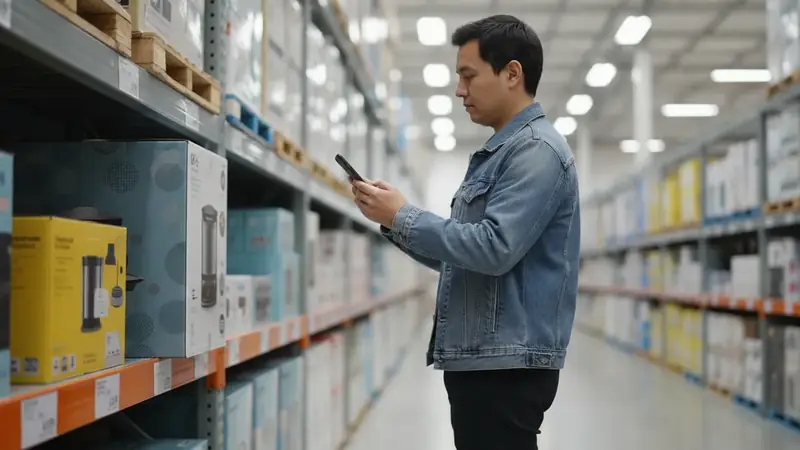
You're in the aisle, the tag says one number, and you wonder if it's a fair one. Open the scanner and aim it at the barcode on the shelf or the box. Price ID looks the product up and shows whether it is cheaper online, along with the lowest price found for your region.
This works the same in any large store, because the barcode is the same on the shelf as on the package. Price ID is not affiliated with any store. If you want an app to scan products and compare prices while you walk the aisles, this is the use it is built for.
Check the final cost with the retailer before you buy online. Shipping, tax and return terms change the math, and a few dollars saved can vanish at checkout.
Barcode scanning on your phone
Different phones, same idea. If you want to scan barcode iphone style, open Price ID and use the barcode mode; the camera reads the UPC and pulls up prices. People asking how to scan barcode on android get the same flow, and on Android you can also share an image from another app straight into Price ID.
Even if you have no box in hand, you can scan barcode online from a photo of the label that you saved earlier. For a deeper look at codes themselves, the barcode and UPC lookup pages on this site go further.
Android and the free tier
As a price comparison app on Android, Price ID gives you the first scan free and then one free scan a day. Watching a short video earns up to two extra a day. The free tier shows ads, and Pro, weekly or yearly, removes limits and ads.
Beyond new prices: resale and thrift
For used items, Price ID gives an estimated resale range drawn from current used-item asking prices on eBay, with a typical price and example listings. These are asking prices, not completed sales, so they are estimates, not appraisals.
Eleven finders are tuned per category, from sneakers and watches to furniture and toys. If you browse secondhand shops, the thrift finder is covered on its own page. A dupe finder also looks for lookalike styles from other brands.
What Price ID cannot do
Prices, availability and matches vary, so confirm details and final cost with the retailer. Plain or unbranded items may only return similar matches, not the exact product, and resale numbers are estimates. Price ID does not authenticate items.
Which shoppers get the most out of it
Aisle shoppers who want a quick yes or no on a shelf price get the most from the barcode scan. Online shoppers with a screenshot of something spotted on social media can find where to buy it. Resellers and thrifters get a rough resale range before paying.
If you only buy a few things a year, the free tier is likely enough. Heavy daily scanners will hit the limits sooner.
Quick questions
Is there an app that compares prices?
Yes, several apps compare prices across online stores, usually by letting you scan a barcode, snap a photo or type a product name. Price ID is one example that shows the lowest price found for your shopping region and the price range across available online stores.
What is the best free app for scanning barcodes?
The best free option depends on what you want to do with the scan, since some apps focus on price comparison, others on product info or inventory. Most free barcode scanners limit daily scans or show ads, so check the free tier before relying on one.
What is the best website to find the best price for an item?
No single website always has the lowest price, because prices and stock vary by retailer, region and day. Comparing a few shopping sites or using a price comparison tool gives a better picture than checking one store.
What is the best price checker app for scanning a barcode?
Price ID scans a barcode or UPC and shows the lowest price found for your region and the price range across online stores. It also accepts photos and screenshots when there is no barcode.
Can I check a price in a store with my phone?
Yes. Scan the barcode on the shelf or box with Price ID and it shows whether the item is cheaper online. Confirm the final cost with the retailer before buying.