


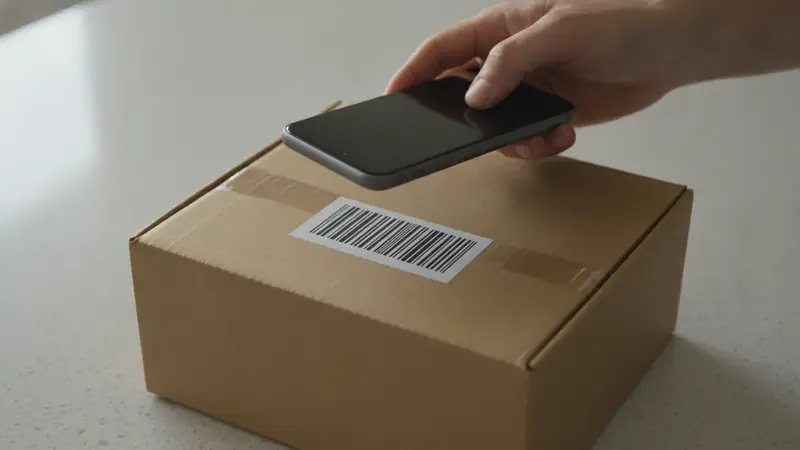
Two readers, two verdicts
If you want the digits and nothing else (to paste into a spreadsheet, say, or a stock list), a plain reader is enough. It is quick and it does one job.
If you are standing in an aisle asking whether the price tag is fair, you want a shopping scanner. Price ID reads the barcode, identifies the product and shows what online stores charge. For a box with a code on it, that is the shortest route to an answer.
Photo search is the third option, and it is for everything the first two cannot touch: the sneaker with no box, the lamp in a screenshot, the thing at a yard sale with the sticker peeled off.
What each one gives you back
| What you compare | Plain barcode reader | Price ID barcode scan | Price ID photo scan |
|---|---|---|---|
| What you point at | The printed code | The printed code | The item or a saved image |
| What comes back | A string of digits | The product, with store prices | Visual matches, brand and model when recognizable |
| Exact size or variant | Yes, it is in the code | Usually, since the code points to one product | Less sure; lookalikes can appear |
| Works with no barcode | No | No | Yes |
| Works from a screenshot | Only if the code is sharp | Only if the code is sharp | Yes |
| Lowest price and savings | No | Yes, for your shopping region | Yes |
| Used-item value | No | Estimated range from eBay asking prices | Estimated range from eBay asking prices |
| Best on | Inventory and data entry | Boxed goods, electronics, books | Clothes, decor, loose items |
Does a barcode or a photo identify the item more precisely?
A code wins on precision. The digits point to one product record, so the size, bundle and model are settled before any price appears. A photo matches on appearance, and two products that look alike can share a match list.
The old advice still holds: scan the code when you need the exact item, and use a photo when you need to find out what the item is. A barcode lookup is only as good as the catalog behind the number, and a upc lookup can fail on a code that is new, regional or damaged. Plain or unbranded items may only get similar matches whichever way you scan.
Price ID has both inputs in one place, so you can start with a photo and then scan the code on the box to confirm. Check the final price and stock on the store's own page before you pay.
When there is no code to scan
Plenty of things never had a barcode or lost it: thrift finds, a cropped screenshot from a social feed, a chair at a friend's house. A plain reader gives you nothing here. Photo search does.
With Price ID you can take a photo, pick a saved image or screenshot, and add a short text hint to steer the match. On Android you can also share an image straight from another app. Used items get a resale range based on current eBay asking prices, not completed sales, so read it as an estimate and not an appraisal. Condition and included accessories move the number.
Books are a good case of the split. The ISBN barcode on the back is the reliable key, which is why people searching how much is this book worth usually want a scan, not a picture of the cover.
Installing the scanner on iPhone or Android
On iPhone and iPad, Price ID runs on iOS 18 or later, and its App Store name is What's It Worth: Price Scanner. If you searched for a upc scanner app on iPhone, that listing is the one with the barcode scan built in next to photo and screenshot search. It is free to try, with a limited number of free scans each day.
On Android the Google Play name is Price ID: What is This Worth? As a barcode reader app it gives you the first scan free, then one free scan a day, plus up to two more by watching a short video; the free tier shows ads. Pro removes the limits and the ads.
What a shopping scan adds to the number
The digits alone are not much help at the shelf. What you want is a check price app that tells you whether the same product is cheaper online. Price ID lists matching offers with direct store links, shows the lowest price found for your region and the price range, and filters out rental, monthly-plan and junk listings.
New buying prices and used resale estimates are shown separately, so a bargain-bin number does not get mixed up with a store price. A product code scanner app that stops at the code cannot do that. You can also save a find to a collection and set a reminder to re-check it later.
Choosing between them
Ask what is in your hand. A boxed product with a clean code: scan it. A thing with no packaging, or a picture on your phone: use a photo. If you only ever need digits for a list, a free plain reader will do and you do not need anything bigger.
Most shoppers end up using both, and that is fine. Scan when a code exists, photograph when it does not, and when a photo match looks close but not right, find the box and scan that.
Quick questions
What types of barcodes are there?
The two families are 1D linear barcodes and 2D codes. Retail products mostly use UPC and EAN linear codes, while QR codes and Data Matrix are common 2D examples that hold more data in a square pattern.
Can you take a picture of a barcode and scan it?
Yes, most scanner apps can read a barcode from a photo or a screenshot as well as live through the camera. The image needs to be sharp, well lit and show the full code with its quiet margins, or the digits may not decode.
Is there a truly free scanner app?
Yes, many plain barcode readers are free, usually supported by ads. Apps that add prices or product details often limit daily scans on the free tier, and Price ID is free to try with a limited number of scans.
Which barcode scanner app is best?
The best one depends on what you need back. A plain reader is enough if you only want the digits, while a shopping scanner is better if you want the product name, store prices or a used value.
What is the difference between a barcode reader and a UPC scanner?
A barcode reader decodes any supported code type, while a UPC scanner focuses on the 12-digit Universal Product Code printed on retail goods. In practice, most phone apps do both, so the names are often used interchangeably.