


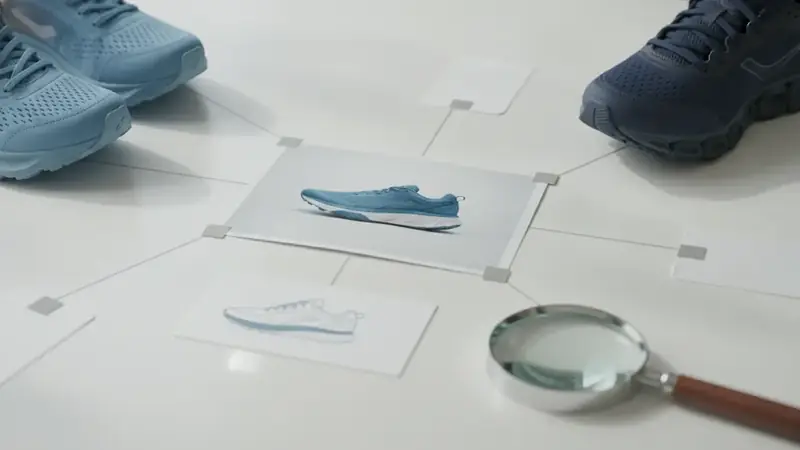
What does it mean to shop by image?
Shop by image means you start with a picture instead of words. You snap a sneaker at a friend's place, or you pick a screenshot of a lamp, and the app returns places to buy it.
It is a narrow kind of shopping search. The goal is a product you can actually buy, with a price next to it, not a guess about everything in the frame. Some people call it shop by image search; others say reverse image search shopping when the picture is all they have. Same idea: the image is the query.
How do I shop by image on iPhone?
Open Price ID, take a photo or pick a screenshot or saved image, and wait for the matches. You can also scan a barcode, or type a short text hint such as the brand or the color to focus the search.
On iPhone and iPad (iOS 18 or later), a photo identifier app like Price ID is a free download with a limited number of free scans each day. Its App Store name is "What's It Worth: Price Scanner", which is worth knowing when you search for it.
For clothes, bags, shoes, watches and other categories, Price ID has finders tuned to each one, so pick the one that fits what you are holding.
Does it work the same way on Android?
Yes, the flow is the same, with one convenience: on Android you can share an image from another app straight to Price ID. If you see a jacket in a post, you share it instead of saving, screenshotting and reopening.
As an image search app on Android, Price ID gives you the first scan free, then one free scan a day, with up to two extra a day if you watch a short video. The free tier shows ads. On Google Play the listing is called "Price ID: What is This Worth?".
How does an app turn a photo into a match?
It breaks the picture into visual features, then compares those features with product images. Think shape, color, pattern, texture, a logo, the curve of a handle, the sole of a shoe.
None of that is a word yet. The app is measuring how much your photo resembles other photos, which is why this is called visual search. A clean, well-lit shot of one item gives it more to work with than a crowded shelf.
Cropping helps for the same reason. A second shoe, a chair leg or a mirror frame in the picture can pull the comparison toward the wrong thing.
How does the app know the brand and model?
It combines the visual matches with AI that reads those results and names the product, including brand and model when the item is recognizable. A visible logo, a distinctive silhouette or a printed model name all make that easier.
That name is then used to find listings: where to buy, with direct store links, and the lowest price found for your shopping region. Rental, monthly-plan and junk listings are filtered out, so you are not wading through noise.
If the photo is vague, a text hint can nudge the search. Typing "leather" or the brand you suspect costs you five seconds.
What is the difference between an exact match and similar products?
An exact match is the same product; a similar product only looks like it. The distinction matters because comparing prices only makes sense between identical items.
| Result | What it means | What you can do with it |
|---|---|---|
| Exact match | Same brand and model | Compare prices across stores |
| Similar product | Same look or purpose, different item | Find options, often cheaper |
Plain or unbranded items may only get similar matches, and prices, availability and matches vary, so confirm details and the final cost with the retailer before you pay. Sometimes similar is what you want: the dupe finder looks for lookalike styles from other brands, for less.
A find similar products app earns its keep when the original is sold out, too expensive, or never had a label.
Is it the same as asking an app to help me find this?
Close, but the shopping version is stricter. When you type help me find this into a search box, you get whatever the web returns. A shopping search aims at a buyable product with a price attached.
Buying prices for new items come from online stores. For used items, Price ID gives an estimated resale range based on current asking prices on eBay, with a typical price and example listings. Those are asking prices, not completed sales, and they are not an appraisal. Wear, the exact model and what comes in the box all change the figure.
Is it safe to upload product photos?
For an ordinary photo of an item, the risk is small, and what matters is everything else in the frame. The product is rarely the problem; the background is.
Before you upload, check for:
- Faces, yours or anyone else's, including reflections in glass or a mirror
- Addresses on packages, shipping labels or mail on the table behind the item
- Documents, receipts, order confirmations and anything with account names or numbers
- Screens showing messages, notifications or open tabs, which turn up in screenshots more than you expect
The fix is easy: crop tight to the product, or retake the photo against a plain wall. A tighter crop is also better for matching, so you lose nothing.
What should I do when the results look wrong?
Change the photo before you change anything else. Retake it closer, in better light, with the logo or the tag showing, and add a text hint.
Then read the results the way a careful shopper would: check the brand, the model, the size and the seller, and open the store listing. If you only get similar products, that is information too; it usually means the item is unbranded or hard to tell apart from others.
One more habit: save the good finds into a collection and set a reminder to re-check the price later. Price ID does not track prices for you, but the reminder brings you back to look.
Quick questions
How can I find a product using a photo?
Take a picture of the item or upload a saved photo or screenshot to a visual search tool, such as Google Lens or a shopping app. The tool compares the image to product photos and returns matching or similar listings with prices and store links.
How can I shop by image?
Open a visual search tool, snap a photo or choose a saved image, and wait for the results. Then look through the matches, compare prices across stores, and open the listing that fits your budget.
How to search for an item using a picture on iPhone?
On iPhone, you can use the Google app's camera icon, Safari's image search, or a shopping app that accepts photos and screenshots. You can also touch and hold a photo in the Photos app to look up what is in it, which sometimes brings up web results.
Why does image search sometimes show the wrong product?
Image search matches shapes, colors, and patterns, so plain, unbranded, or poorly lit items can look like many other products. A clearer photo, a different angle, or a short text hint such as the brand or item type usually improves the match.
What makes a good photo for searching by image?
A good photo shows the whole item in even light against a simple background, with any logo, tag, or label in focus. Cropping out clutter and avoiding heavy filters helps the search focus on the product itself.