


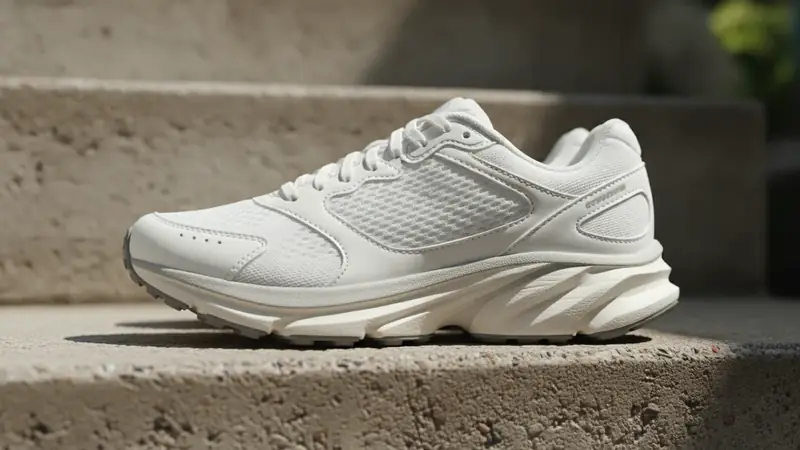
What actually identifies a sneaker model
A sneaker model is the named shoe (an Air Force 1, a Samba, a 990), and a colorway is one specific color treatment of it. Plenty of pairs share a silhouette and differ only in color, so you need both the shape and a code to pin down the exact release. The style code does the most work: it is printed on a label inside the shoe, usually under the tongue or along the inside of the upper, and on the box end label, and it points to one model in one colorway.
| Clue | Where to look | What it tells you |
|---|---|---|
| Silhouette | Side view of the whole shoe | The model family |
| Toe box | Top and front view | Low-top runner, chunky retro or slim court shape |
| Midsole and outsole pattern | Flip the shoe over | Tooling that separates look-alike models |
| Heel tab | Back of the shoe | Pull loop, stitching and branding that change by model |
| Logo placement | Side panel, tongue, heel | Brand and sometimes the era |
| Colorway | The color blocking across the shoe | Which release, once the model is known |
| Style code | Inside label under the tongue, and the box label | Model plus colorway in one string |
The code is a close cousin of a barcode number, and if you have ever wondered what is a upc code, it is the retail product number on the box, which is a separate thing from the style code.
How to photograph a shoe for a good match
Start with the side profile, the whole shoe in frame, in daylight or an evenly lit room. The side shows panel layout and logo position, which is where most models separate. Put the shoe on a plain floor or table; jeans and a busy rug hide the outline.
- Shoot the heel straight on, so the tab is readable.
- Flip one shoe and photograph the outsole.
- Pull the tongue forward and shoot the inside label, close enough that the code is sharp.
- Photograph the box end label if you still have the box.
Price ID takes a photo, a saved image or screenshot, or a barcode scan, and you can add a text hint such as the brand or a word from the label to focus the search. A screenshot of a shoe someone posted works too, as long as it is not cropped through the sole.
What Price ID's Sneakers & Shoes finder returns
Price ID has 11 finders tuned to different categories, and Sneakers & Shoes is the one to pick here. It identifies the product with visual matches and AI, giving the brand and model when the shoe is recognizable. Then it splits the answer into two separate views.
- Buying prices for new pairs: matching listings with direct store links, prices compared across available online stores, and the lowest price found for your shopping region.
- A resale estimate for used pairs: a range, a typical price and example listings, based on current used-item asking prices on eBay.
If you are on iPhone or iPad (iOS 18 or later), a shoe identifier app that also prices the pair is handy at the shelf, when the label is in a language you cannot read. Price ID is listed on the App Store as What's It Worth: Price Scanner. On Android, the sneaker identifier app version works the same way, and you can share an image from another app straight into it.
Colorways and general releases that blur together
Sneakers are the hardest kind of product to match exactly, because brands reuse shapes and one model can ship in dozens of colorways. Expect a close result, not an exact one, in these cases:
- The photo hides the sole, heel or tongue label.
- The shoe is plain or unbranded, which may only get similar matches.
- It is a general release that shares a silhouette with several others.
- The pair is vintage, discontinued or a limited collaboration with unusual color blocking.
When that happens, read the style code off the label and add it as the text hint. That one step usually narrows a family of lookalikes to a single listing. Prices shift during the day, so give the store page a last look before paying. If you only want the look for less, the dupe finder handles lookalike styles from other brands.
Is a used pair worth anything? Resale basics
People often ask how much will this sell for before they have even found the model name, and the answer starts with the match. Once Price ID names the shoe, the resale estimate comes from current used-item asking prices on eBay. Those are asking prices, not completed sales, so read the range as what sellers want, not a promised result or an appraisal.
Three things move a used pair more than anything else:
- Condition: worn midsoles, creased toe boxes, yellowed soles and scuffed heels all pull value down.
- Box: the original box with its label, which shows the style code, tends to help a sale.
- Size: common sizes sell more easily, while very small or very large sizes can sit longer.
If you flip pairs regularly, a reseller price checker that shows a typical price plus example listings saves guessing. You can save a find into a collection and set a reminder to re-check the price later.
What to check before you buy or sell
Before buying, match the style code on the listing to the code on the label you photographed. Check the size, the condition photos and the return policy. A match in Price ID is not authentication; it says what the shoe looks like, not whether it is genuine, so fakes need a separate check by someone who does that work.
Before selling, clean the shoes, photograph the same angles you used for the search, include the style code in your listing and compare your price against the example listings as well as the typical figure. If a pair is priced well below the range, ask why.
Shopping for the whole look instead of the shoes? Price ID can also find this outfit from a photo with its Clothes & Outfits finder.
Quick questions
Can I take a picture of a shoe and find it online?
Yes, a clear photo of the side profile is usually enough to get visual matches for a sneaker online. Adding a shot of the style code on the tongue or inside label makes an exact match far more likely.
How do I identify my shoes?
Start with the brand logo, the overall silhouette, and the style code printed on the label inside the shoe. Searching that code along with the brand name usually leads to the exact model and colorway.
How to find the model of a shoe?
Check the tag stitched inside the tongue or along the inner side, which lists the model name or a style code. If the tag is worn off, compare the sole pattern, panel shapes, and logo placement against the brand's catalog.
Why do some sneakers look almost identical but have different names?
Brands often release the same silhouette in many colorways, and small changes in materials, collars, or logos can mean a different model or release. The style code is the most reliable way to tell these versions apart.
What should I look at to tell if a pair of sneakers is a retro or an original release?
Look at the production date on the inside label, the style code, and the box label if you still have it. Retro releases often share a name with the original but carry a newer date and slightly different shape or materials.
What shoes are these if I only have a photo?
Upload the photo to Price ID's Sneakers & Shoes finder, ideally a side view. Price ID returns the brand and model when it can recognize the shoe, plus listings and prices.