


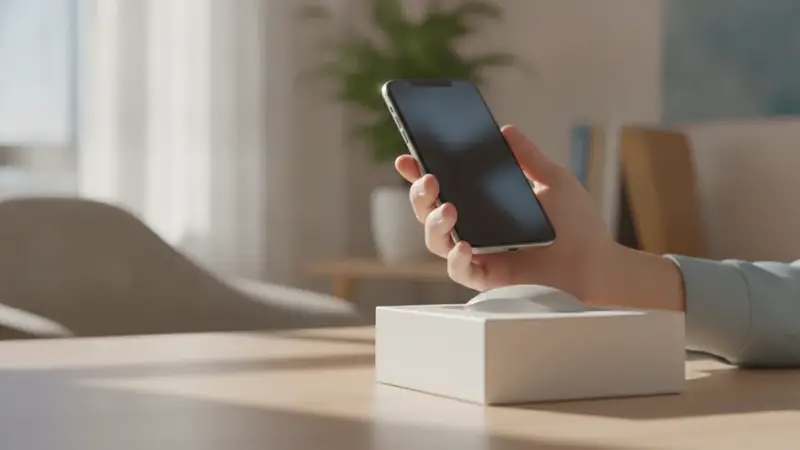
What you get when the scan works
Point the phone at the barcode on a box, and Price ID identifies the product, lists matching online stores with direct links, and shows the lowest price it found for your shopping region. That is the answer to the question you had at the shelf: is this cheaper somewhere else?
A quick word on the built-in tools. The Camera app and the Code Scanner in Control Center are good at QR codes, like a menu or a Wi-Fi sign. A UPC or EAN on a retail package is a different job, and neither will give you a price.
Steps to scan a barcode on iPhone
- Install Price ID on your iPhone or iPad. It is a free-to-try barcode reader app that also checks prices, and in the App Store it is listed as "What's It Worth: Price Scanner".
- Open the app and choose the barcode scan option. The barcode route is the quickest when the package is in your hand, because a UPC points to one exact product.
- Allow camera access if the phone asks. Without it the scanner cannot see the code.
- Hold the phone about a hand's length from the package and keep the barcode flat in the frame. A curved or tilted code is the usual reason for a slow read.
- Wait for the result screen. You will see the product, matching listings with store links, a price range and the potential savings.
- Check your region and currency in settings if the prices look odd. You choose these yourself, and language is set separately.
- Open a listing to confirm the details and final cost with the retailer. Prices and availability change, and the store has the last word.
When there is no barcode: scan a photo instead
Some items have no code: a lamp at a flea market, a jacket with the tag cut out. Price ID also takes a photo, or a screenshot or saved image from your library, and you can add a short text hint to focus the search. If you are wondering how to search by image iPhone users can do it in the same app, without leaving the scanner.
Plain or unbranded items may only get similar matches, so a clear photo and a hint like the brand or color help.
Troubleshooting a barcode that will not scan
The Camera app shows nothing, or only opens a website
That is the Camera doing its job: it reads QR codes and ignores product barcodes. Use Price ID for UPC and EAN codes instead.
The scanner keeps hunting and never locks on
Move back a little, since many phones struggle when the code is too close. Flatten the package, add light, and angle the phone to cut glare from shiny plastic or shrink wrap.
The code scans but the product looks wrong
Take a photo of the item instead and add a text hint with the brand or model. Photo matching can find the product when a code is smudged or a store has printed its own label over it.
The prices look too high or too low
Check the shopping region and currency first. A shopping barcode scanner can only compare stores that serve the region you picked.
The scan limit has been reached
On iPhone the free tier has a limited number of free scans each day. Free price scanning resets daily, and Pro removes the limit if you scan a lot.
The camera screen is black
Camera permission may be off for the app. Turn it on in your iPhone settings, then reopen Price ID.
What to do once it works
Save the find into a collection if you are still deciding, and set a reminder to re-check the price later. Share it with whoever is paying. If the item is used, look at the resale estimate; it comes from current asking prices on eBay for similar items, so it is a range to reason with, not a guaranteed sale price or an appraisal.
New prices and resale estimates are shown separately, which keeps you from comparing a new box with a used one. Android owners get the same scan price app on Google Play, where the app is called "Price ID: What is This Worth?".
Quick questions
How do I activate the scanner on my iPhone?
Open the Camera app and point it at a QR code, or add the Code Scanner button to Control Center in Settings. Both read QR codes and open the link, but neither looks up a product barcode to show prices.
Where is the scanning tool on my iPhone?
The built-in scanner is in the Camera app, and you can also add the Code Scanner to Control Center under Settings, then Control Center. Notes and Files also have a Scan Documents option, which captures paper pages and does not read product barcodes.
How to scan a QR code on iPhone without the camera?
Add the Code Scanner control to Control Center, then swipe down and tap it to scan. You can also open a saved image with the QR code in Photos, touch and hold the code, and tap the link that appears.
Is there a free barcode scanner app for iPhone that shows prices?
Yes, several apps let you scan a barcode for free with limits. Price ID is free to try on iPhone with limited free scans daily, and it shows where to buy a product and compare prices.
Can the iPhone camera scan a product barcode?
The iPhone Camera reads QR codes, but it does not look up product barcodes or show prices. You need an app such as Price ID for UPC and EAN codes.