


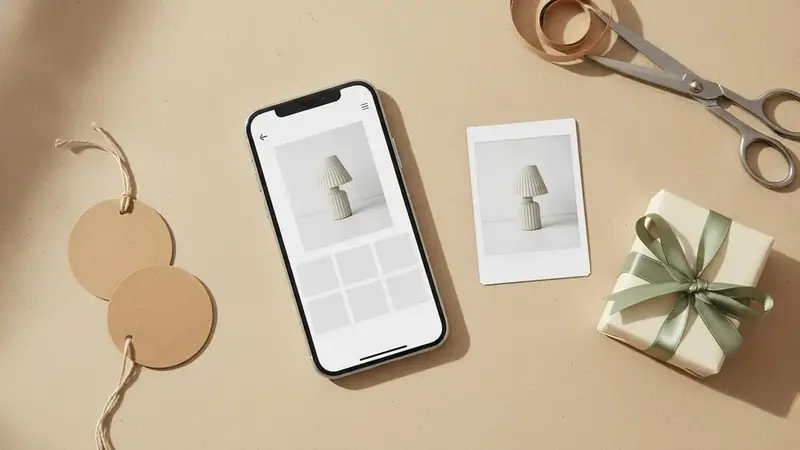
Your friend texts you a screenshot
It is three weeks before her birthday. She sent a screenshot of a leather tote with the message "someday." No brand, no caption, nothing to type into a search box.
You open Price ID and pick the screenshot from your photos. On iPhone, getting a shop by image app onto your phone is a matter of installing it from the App Store, where it is listed as "What's It Worth: Price Scanner". If the screenshot has other things in it, add a short text hint such as "brown tote" so the search knows which object you mean.
The Handbags finder is tuned for exactly this kind of photo, so pick it before you scan.
You read the match before you trust it
Price ID returns visual matches and, when the item is recognizable, a brand and model. Check that the shape, hardware and stitching look like the picture. A plain or unbranded item may only get similar matches, and that is fine for a gift as long as you know which one you are looking at.
Prices, availability and matches vary, so confirm the details and the final cost with the retailer before you pay. Shipping and returns are the retailer's call, not something the app can promise.
You look at the price after the picture
Now the useful part. Price ID lists matching listings with direct store links, compares prices across the online stores it finds, and points out the cheapest price for your shopping region. You also see a price range and the potential savings, with rental, monthly-plan and junk listings filtered out.
Say the tote is out of your budget. That is a decision, not a dead end: you can look at other listings for the same bag, or move to the next step.
The tote is too expensive, so you look for a lookalike
Price ID has a similar-for-less mode, a dupe finder for lookalike styles from other brands. It covers clothes, bags, shoes, jewelry and home decor. You scan the same photo and get alternatives that share the look at a different price.
The same idea applies to beauty gifts. If she sends a shade of lipstick she loves, a dupe finder makeup search is handled by the Makeup & Beauty finder, one of 11 category finders in the app.
Is a lookalike a worse gift? Only you know her. Some people want the exact brand; others just want the shape and color.
You spot something in a shop window
A week later you walk past a boutique that is closed. There is a scarf in the window she would like. Take a photo through the glass, crop out the reflections if you can, and scan it.
If the item has a barcode and you are standing in the store, scan that instead and check whether it is cheaper online. Photos work for the window; barcodes work for the shelf.
Android users get a shortcut: you can share an image from another app straight to Price ID. For anyone choosing an image search app on Android, that share step saves a trip through the gallery. Android's free tier shows ads and gives you your first scan free, then 1 free scan a day, with up to 2 extra a day if you watch a short video.
You save it, share it and set a reminder
Do not leave the find in your camera roll. Save it into a collection, maybe one called "Birthday," and put the tote, the lookalike and the scarf side by side.
Share the collection with a sibling who is chipping in, or with whoever will tell you which one she would pick. Then set a reminder to re-check the price a few days before the party. Price ID does not send price-drop alerts; the reminder is a nudge for you to open the saved find and look again.
If you want a second opinion on whether the tote is worth the asking price, the Deal Assistant (an AI chat in Pro) covers key features, pros and cons, cheaper alternatives and the best time to buy.
Habits for the next gift hunt
- Start with the clearest image you have, and crop to the one item.
- Add a text hint when the photo is busy.
- Pick the category finder that fits, such as Handbags or Makeup & Beauty.
- Check the match first, then the price range.
- Look at the lookalike option before you decide the budget is blown.
- Save everything to one collection, share it, and set the reminder.
- Confirm the final cost with the retailer before you buy.
For someone who likes to compare, an ai shopping assistant for iphone and android like Price ID keeps this routine the same on either phone.
Quick questions
What is a gift finder?
A gift finder is a tool or website that helps you pick a present by starting from something you already have, such as a photo, a budget, an age or an interest. Some use quizzes and filters, while others work from a picture of a specific item.
How do I find a gift when I have no idea what to buy?
Start with the person's recent comments, saved posts and the things they already use and enjoy. Then narrow by budget and a category such as something to wear, cook with or display at home.
How do I find a gift based on someone's interests?
List two or three hobbies or habits the person talks about, then look for a useful upgrade or a related accessory for each. A gift that fits something they already do is usually safer than a random novelty.
How much should I spend on a birthday gift for a friend?
There is no fixed rule, and most people set an amount based on how close the friendship is and what feels comfortable for their budget. Spending about what the friend would spend on you is a common guide.
How can I find a cheaper version of a gift I like?
Search for the item's brand and model first, since the same product often sells for different prices at different stores. If the original is out of budget, look for a lookalike in a similar style from another brand.
Is it better to buy a gift early or wait for a sale?
Buying early gives you time to compare prices and avoid rushed shipping fees, and waiting for a sale can save money if the item stays in stock. Checking the price again a few days before the birthday helps you decide which makes sense.