


What you have once the frame is matched
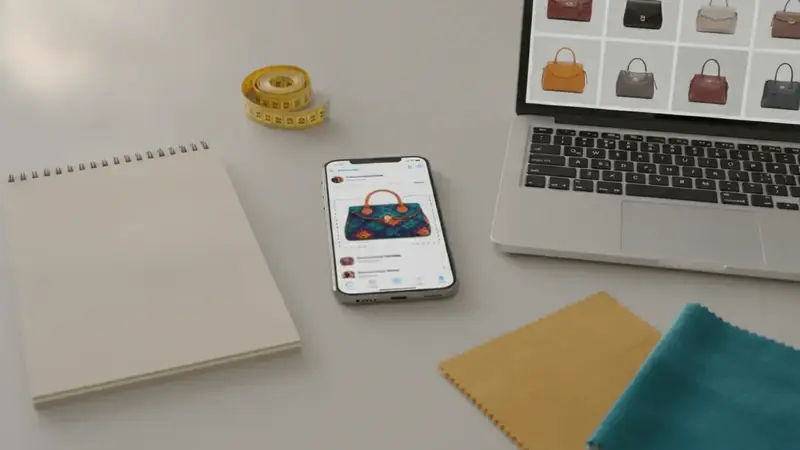
You start with a frozen frame of someone's kitchen, closet or desk. You finish with a named product (brand and model when it's recognizable) and a list of stores selling it, with prices compared. Sometimes the match is the exact item. Sometimes it's a close cousin, and you should know which one you're looking at before you pay.
Steps to find a product from a short video
- Check the creator's links first. The caption, pinned comment, profile link and any shop tag can name the exact item, and that costs you nothing.
- Pause on the clearest frame. Scrub slowly until the product is fully visible, facing the camera, with no hand over the logo.
- Take the screenshot. If the video shows a front, a side and a label close-up, grab each one; extra angles give you backup if the first scan misses.
- Crop to the item. Captions, faces, comment bubbles and the app's buttons are noise, so trim them away before scanning.
- Scan the crop with Price ID. On iPhone, pick the screenshot from your photos; on Android you can share the image from the video app straight to Price ID. Price ID also has a Shop a Screenshot finder that scans your latest screenshot with one tap.
- Add a short text hint if the result is vague. A word like "tumbler" or "lamp" tells the search where to focus.
- Compare the listings. Open the store page and confirm size, color and variant against the video before you buy, since prices and availability vary and final cost is set by the retailer.
Using a screenshot to shop beats guessing keywords because the picture carries shape, color and packaging that are hard to put into words.
When the scan goes wrong
The frame is blurry from motion
What you see: results that are vague, or a different product altogether. The fix: step through the video a few frames at a time, since the sharpest frame is often just before or after a camera move. Crop in, don't zoom in, so you aren't enlarging pixels that aren't there.
A filter changes the colors
What you see: a match in the wrong shade, such as a cool-toned version of a warm product. The fix: match on shape and logo first, then check the color on the store page. If the creator names the color in a comment, trust that over the video.
Text or stickers cover the product
What you see: the match locks onto the caption or a sticker instead of the item. The fix: crop around the visible part of the product only. If the overlay hides the logo, look for another moment in the video where the item is shown clean, such as the unboxing or the end shot.
The item is plain or has no visible brand
What you see: lookalikes, not one clear answer. The fix: treat the results as similar items. Add a text hint, or try a frame that shows a tag, label or box. Plain, unbranded products may only ever get similar matches.
The product is small in the frame
What you see: the scan picks up the table or the person. The fix: crop tight around the product, even if the result looks pixelated, and add a text hint naming the category.
Setting up the app for video finds
On iPhone or iPad (iOS 18 or later), look for "What's It Worth: Price Scanner" in the App Store; as a find this item app it takes a saved screenshot as readily as a live photo. On Android the Google Play listing is "Price ID: What is This Worth?", and as a picture search app it lets you share a video frame straight in without saving it first.
After you find a match
Save the find to a collection so it's there when you come back. Set a reminder to re-check the price later; Price ID doesn't send price-drop alerts, so the reminder is your nudge. If the exact thing costs more than you want, the dupe finder shows lookalike styles from other brands.
Same habit works if you need to find this shoe from a clip: scan the sole or side view too. And for a post from a feed instead of a video, the method to shop from a social media screenshot is the same: clear frame, tight crop, scan.
Quick questions
How can you shop on TikTok?
You can shop on TikTok by tapping the shopping cart or product tag on a video, opening a creator's linked storefront, or browsing the Shop tab where it is available. Availability depends on your country and on whether the seller has set up TikTok Shop.
Is it safe to buy products off TikTok?
Buying through TikTok Shop gives you platform checkout and buyer protection policies, which is usually safer than paying a stranger through a direct message. Check seller ratings, read reviews, compare the price elsewhere, and use a payment method with dispute options.
How do I find a product I saw in a TikTok video if there is no link?
Check the video caption, pinned comments, and the creator's profile for links first. If none exist, screenshot the clearest frame, crop around the item, and run it through a visual search tool to find matching listings.
Why do TikTok products sometimes look different when they arrive?
Lighting, filters, and camera angles in short videos can change how color, size, and quality appear. Reading buyer photos and reviews before ordering helps you judge what the real item looks like.
Can I shop from a short video without a link?
Yes. Screenshot the clearest frame, crop the product, and scan it with Price ID to get matching store listings and prices.
How do I find a product from a blurry video frame?
Step through the video frame by frame to find a sharper moment, then crop tightly around the item. A text hint can also help focus the search.