


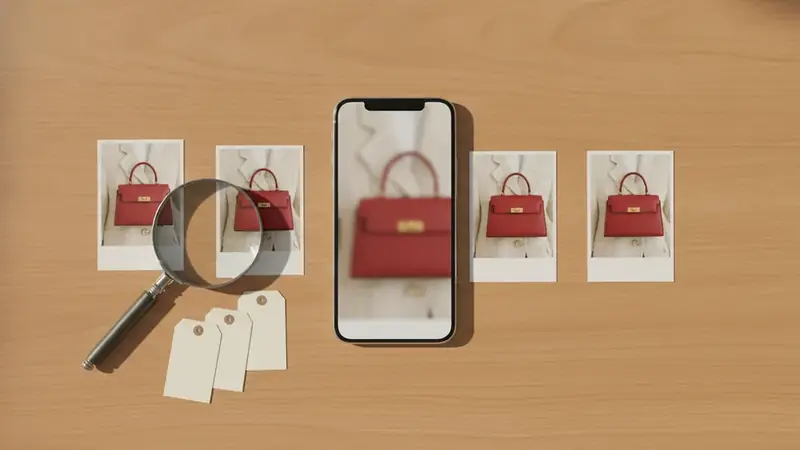
Moment one: you see the jacket and there is no tag
You're scrolling at night. A creator walks across a street in a camel jacket with a heavy collar, and you want it. The caption is about coffee. No tag, no link sticker, and the comments are people asking the same question.
Before anything else, look for the easy answer. Tap the post and check for product tags, open the creator's profile for a shop or link-in-bio page, and skim the caption and pinned comments. When a creator has tagged products or posted links, use those first; they point to the exact item and cost you nothing. The screenshot route is for what's left: untagged posts, expired story links, and things the creator never named.
This works the same for a bag on a shelf behind someone or a lamp in a corner of a living room. If you can see it, you can try to find it.
Moment two: you take the screenshot (and maybe a second one)
Take the screenshot while the item is as clear as it will get. In a reel, pause on a frame where the jacket faces the camera and isn't smeared by motion. In a story, grab it before a sticker or text box lands on top of the thing you want.
If the item flashes by, take two or three frames. Delete the bad ones later; you only need one good one. This is also how to search a screenshot well: the cleaner the original, the fewer wrong guesses you wade through.
A screenshot of a video works too. If you want to shop from a video screenshot, the same rule applies, so pick the sharpest frame instead of the first one you caught.
Moment three: you open Shop a Screenshot and crop
Price ID has 11 finders tuned for different categories, and Shop a Screenshot is the one built for this. It scans your latest screenshot with one tap, so you aren't digging through your camera roll. It can also take any saved image you pick. On Android you can share the image from another app straight to Price ID.
Now crop. This is the step people skip, and it matters most. A full-body photo has shoes, pants, a bag, sunglasses and a background all competing. Crop tight around the jacket and nothing else. Want the shoes too? Run a second search.
You can also add a short text hint, such as the word jacket or a color, to focus the search. Keep it plain.
Moment four: you read the matches
Price ID identifies the product using visual matches and AI, and gives the brand and model when it can recognize them. Each match comes with a direct store link, so you can open the listing and look at photos, color name and sizes yourself.
Read them like a careful shopper, not a hopeful one. A close match is a lead, not a verdict. Plain or unbranded pieces (a simple tee, a basic black bag) may only turn up similar items, and that's normal; there isn't much to recognize.
| What you see | What it likely means | What you do |
|---|---|---|
| Brand and model named | The item was recognizable | Open the store link and check color and size |
| Several similar listings | No single clear match | Compare details against your crop |
| Only lookalikes | Plain or unbranded item | Go to similar for less |
If you are wondering what dress is this when a creator wears something unmarked, the same reading applies: confirm the match against the photo, then move on to price.
Moment five: you compare prices
Found it. Now the part that saves money. Price ID compares prices across available online stores and shows the lowest price it found for your shopping region, plus a price range and the potential savings. Rental, monthly-plan and junk listings are filtered out, so you aren't looking at a lease for a lamp.
You can set your region and currency, and language is set separately, so a result in euros isn't a surprise when you shop in dollars. Prices, availability and matches vary, so confirm the details and the final cost with the retailer before paying. Shipping and returns can erase a small price gap.
Not ready to buy? Save the find into a collection, share it with a friend, or set a reminder to re-check the price later. It's a reminder you set, not an alert that watches the price for you.
Moment six: the original is too much, so you look for less
Sometimes the jacket costs more than you planned to spend, or it's sold out. This is where similar for less comes in. It's a dupe finder for lookalike styles from other brands, covering clothes, bags, shoes, jewelry and home decor.
Judge a lookalike honestly. Check the fabric, the collar shape, the length. A near match at a lower price is a good deal; a vaguely similar one isn't. For beauty, the makeup dupe finder works along the same lines, and Price ID has a Makeup & Beauty finder for it.
On iPhone or iPad (iOS 18 or later), getting an outfit finder app is a matter of installing Price ID from the App Store, where it is listed as What's It Worth: Price Scanner. Price ID is free to try, with limited free scans each day.
On Android, Price ID works as a clothing identifier app that takes shared images from other apps.
Do this again the next time you scroll
- Check the post for tags, the profile for a shop page, and the caption and comments for links.
- Screenshot the clearest frame; take two if the item moves.
- Open Shop a Screenshot and crop to one item.
- Add a short text hint if the first results drift.
- Open the store links and compare photos against your crop.
- Check the lowest price for your region, then confirm the final cost with the retailer.
- If it's too pricey, run similar for less, or save the find to a collection.
Quick questions
Does Instagram have a shop option?
Yes, Instagram has a shopping feature that lets businesses and some creators tag products in posts, stories, and reels, and show a shop tab on their profile. Not every account uses it, so many posts have no tags at all.
Can you buy products directly from Instagram?
In some countries you can check out inside Instagram when a seller has enabled it, but many shops send you to their own website to finish the purchase. Availability depends on the seller and your region.
Is it safe to buy from an Instagram shop?
It can be, but safety depends on the seller. Look for a verified badge, real customer comments, a clear return policy, and a payment method with buyer protection before you pay.
How do I find where to buy something in an Instagram post with no tag?
Check the caption, the creator's bio link, and the comments first, since many creators list brands there. If nothing is listed, screenshot the post, crop to the single item, and run it through a visual search tool to find similar or matching products.
Can you shop from a social post that has no product tag?
Yes. Screenshot the post, crop to the item, and run it through Price ID's Shop a Screenshot finder to get visual matches with store links and prices.
How do I find a product from a story before it disappears?
Screenshot the story right away, before stickers cover the item. Price ID can scan that screenshot later, so you don't need the story to stay up.